MyCareerVerse Guidance Toolkit
Whole School Guidance Plan Generator
Build an NCGE-aligned Whole School Guidance Plan for your school, section by section, with a save button that is always within reach. Member schools sign in to open the generator, keep the plan in their account and export a Board-ready document whenever they are ready. Not a member yet? Book a free 30-minute demo and see the whole toolkit live.
What signing in unlocks
Everything below is included for guidance counsellors at MyCareerVerse member schools.
- Save your plan at any point and pick it up on any device
- All 13 NCGE-aligned sections with progress tracking
- Profile-driven text for your school type, ethos and TY provision
- Review, edit, print, save as PDF or download an editable Word file
- Implementation checklist, folder structure and staff presentation guide
Your plan lives in your own account. Nothing is shared with other schools. Not a member? Book a demo.
What you get
Built for the way a WSGP actually gets written
A guidance plan is drafted over weeks, in between classes and appointments. The generator is designed around that: start, save, come back, finish.
Save whenever you like
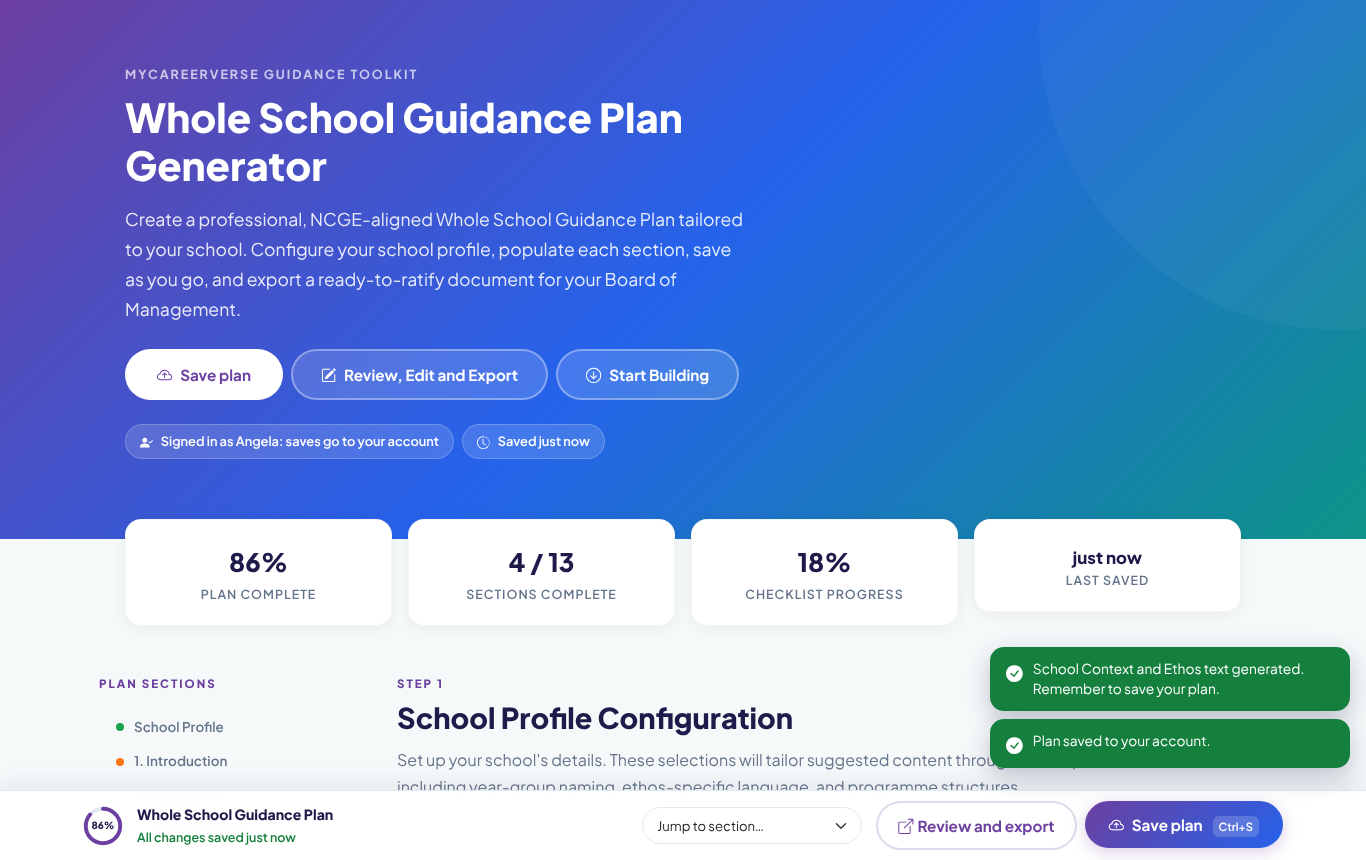
A save button stays on screen as you scroll, with a progress ring and a clear saved or unsaved status. Ctrl+S works too, and your plan is safely in your account for the next session.
Profile-driven content
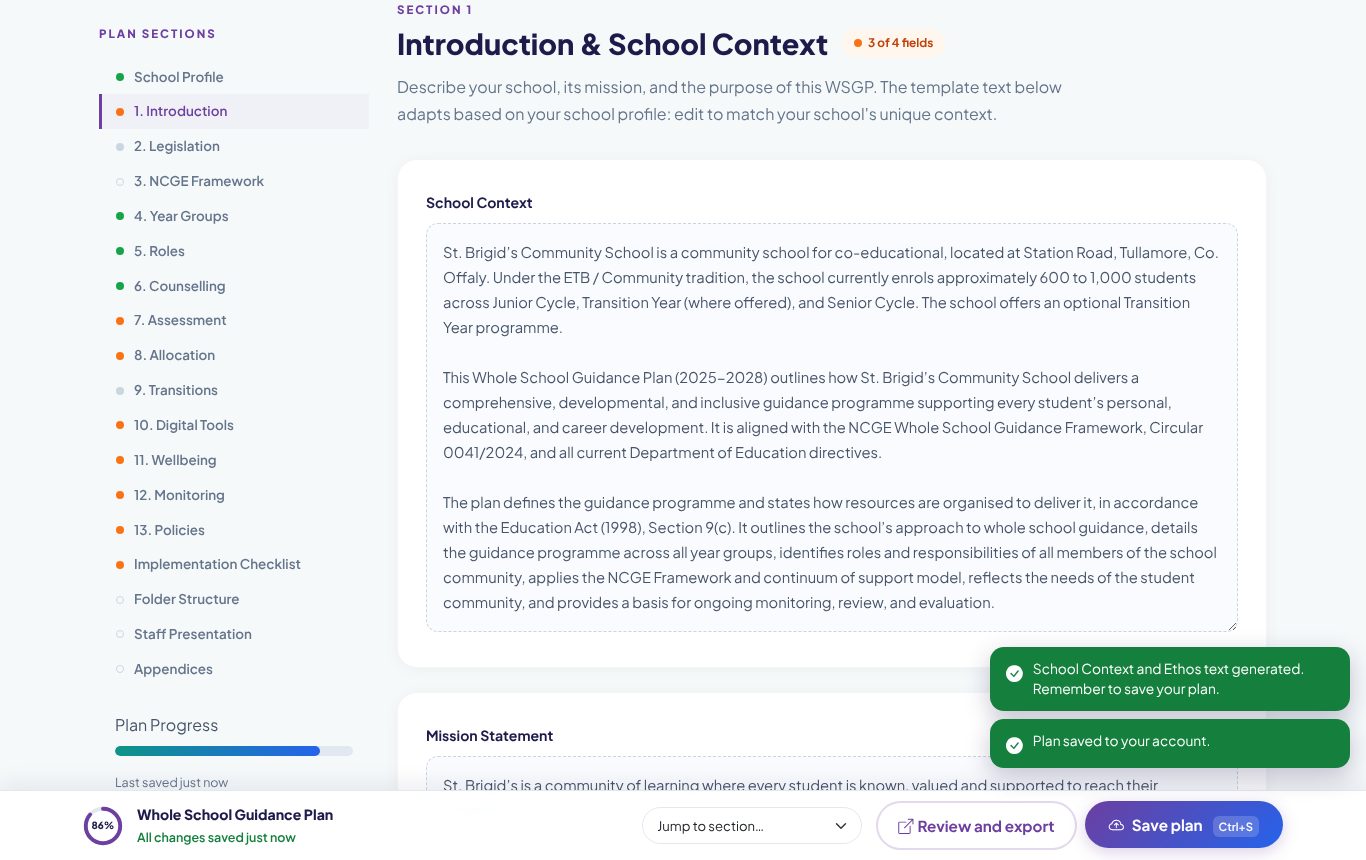
Set your school type, ethos, enrolment, DEIS status and Transition Year provision once. The School Context and Ethos sections are generated to match, ready for you to refine.
13 NCGE-aligned sections
Introduction, legislation, the NCGE framework, roles, counselling, assessment, allocation, transitions, digital tools, wellbeing, monitoring and policies, each with a completion status.
Year-group programme matrix
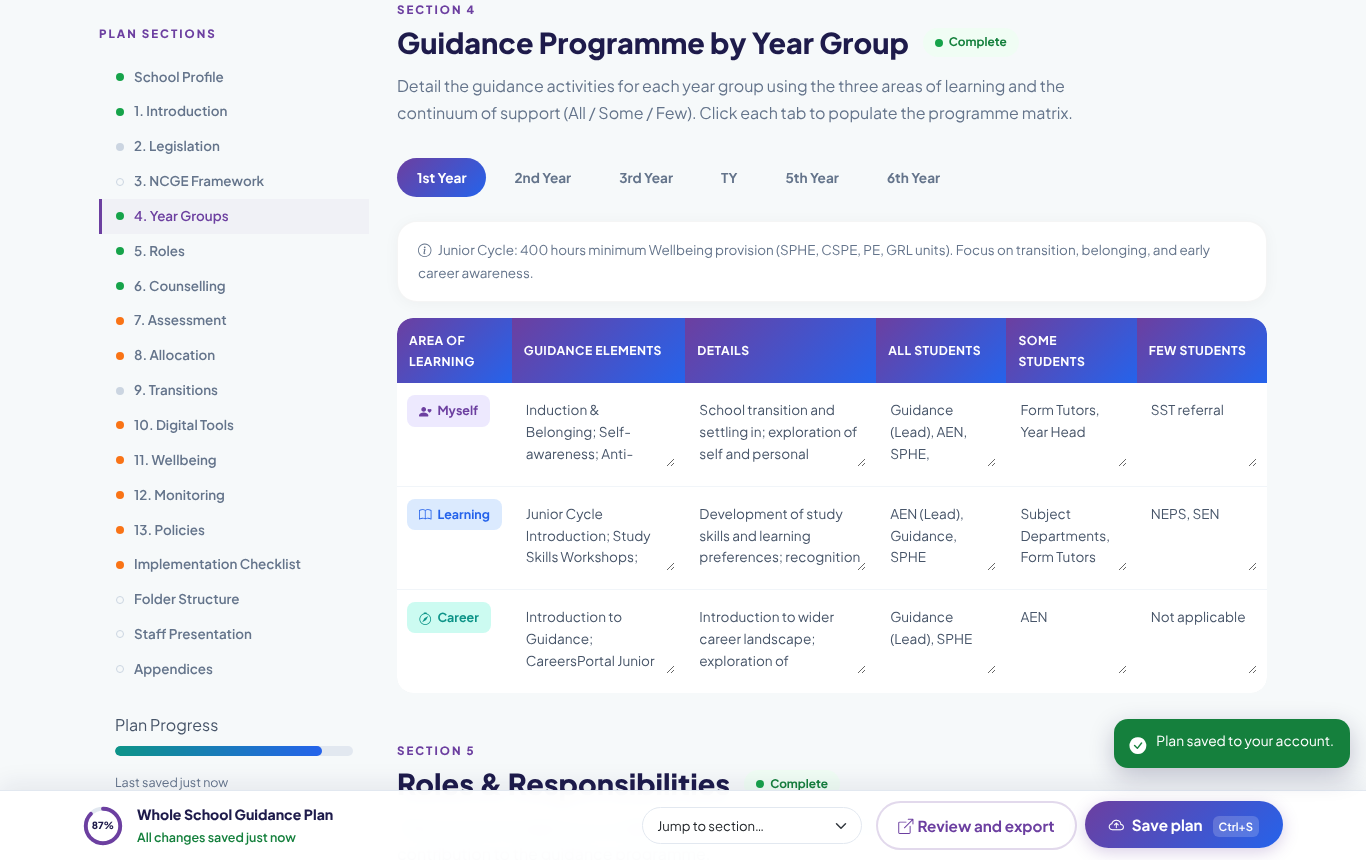
A pre-populated All, Some and A Few matrix for every year group from 1st Year to 6th Year, built on the three areas of learning and ready to tailor to your school.
Review, edit and export
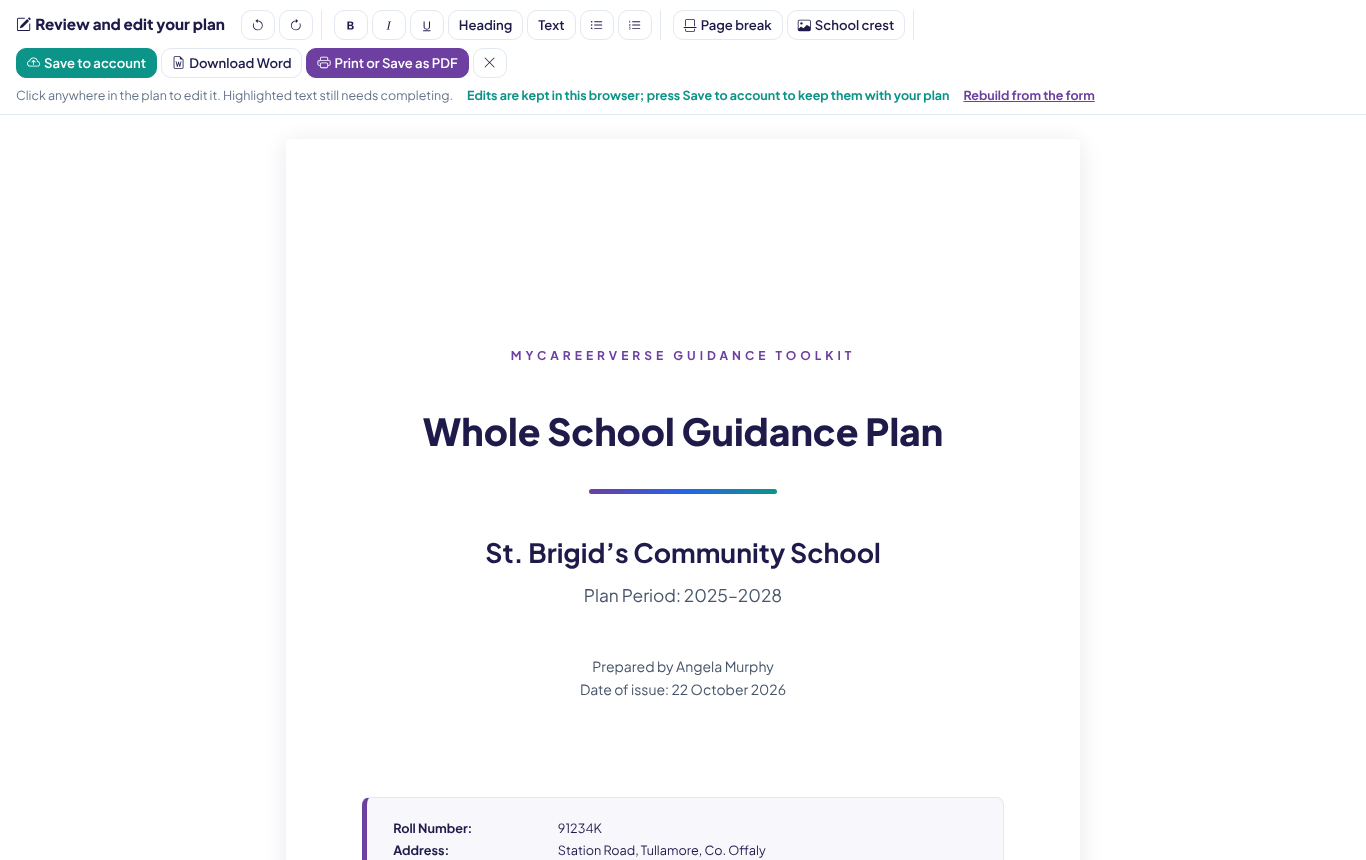
Open the finished plan as a formatted document, tweak any wording, add your school crest and page breaks, then print, save as PDF or download an editable Word file for the Board.
Implementation toolkit
A 28-step implementation checklist across four phases, a recommended Teams or SharePoint folder structure, a staff presentation guide and a list of 16 supporting appendices.
A look inside
See what members are working with
Screens from the generator as a signed-in guidance counsellor sees them.
Try it
The generator is waiting behind sign-in
Here is the first step of the generator. Sign in and this becomes a working form with your plan saved to your account.
Visitor or member
What member schools get
| Feature | Visitor | Member school |
|---|---|---|
| Read about the generator, see sample screens and book a demo | ||
| Open the generator and build all 13 sections | ||
| Save your plan to your account at any time | ||
| Pick up where you left off, on any device | ||
| Profile-driven School Context and Ethos text | ||
| Review, edit, print, save as PDF and download Word | ||
| Implementation checklist with saved progress | ||
| Plan status and quick links on your guidance counsellor dashboard |
How it works
From blank page to Board-ready in three steps
Set your school profile
School type, ethos, enrolment, DEIS status, TY and programmes. Apply it once and the context sections are written for you.
Work through the sections
Edit the pre-filled text, complete the year-group matrix, tick off the checklist. Save whenever you like and come back any time.
Review and export
Open the finished plan, polish the wording, add your crest, then print, save as PDF or download Word for your Board of Management.
Book a demo
See the generator and the whole toolkit live
Interested schools get a free, personal walkthrough rather than a sign-up form. Tell us a little about your school and we will arrange a time that suits you.
Free 30‑minute platform demo
A live walkthrough of every part of the toolkit, tailored to your cohort. Bring questions about CAO, alternative pathways, European options, or whole‑school rollout.
Request a demo
Your details are used only to schedule the demo. No mailing list signup.
Ready to start your Whole School Guidance Plan?
Member schools sign in to open the generator. Everyone else: book a free 30-minute demo and see the full guidance toolkit, including this generator, live with your own questions answered.